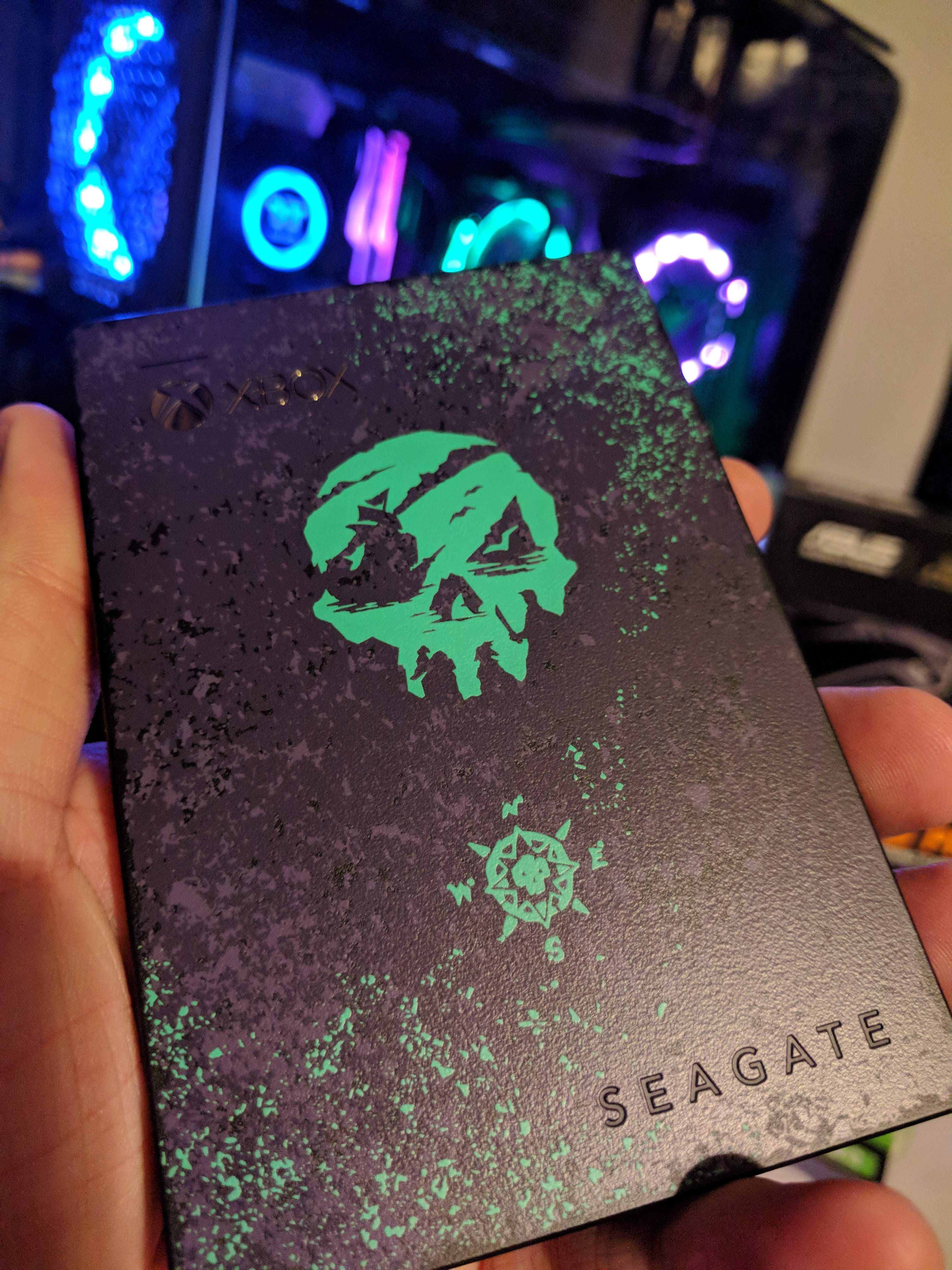
Here's are some photos of the packaging and of the unit itself. The next reply will have screenshots and a video.
SoT External Hard Drive Arrived! (photos and video ) [showing in-game exclusive item]
Here's a video of it in action:
Here's some screenshots:
@vipeness that’s happened to my sovereign compass sometimes. So it’s not unique to your blunderbuss.
Your PC leaves me with many questions. Why is the video card sideways? Doesn't that mean that the cooling fans are being blocked by the case glass? And why is the CPU coolant radiator on the motherboard bracket instead of up against the case? Is there some sort of vent to the back of the case there?
@sten-whik said in SoT External Hard Drive Arrived! (photos and video ) [showing in-game exclusive item]:
Your PC leaves me with many questions. Why is the video card sideways? Doesn't that mean that the cooling fans are being blocked by the case glass? And why is the CPU coolant radiator on the motherboard bracket instead of up against the case? Is there some sort of vent to the back of the case there?
The case is tempered glass all around with slight openings on all sides. The air comes from the front and blows in. The processors fans (3 of them) on the radiator blow air on the radiator and out back which escapes through the back glass. The front air is blowing towards the video card (sideways +special cable for this case) and blows air on the card, which escapes out the back of the card and tower from the back of case fan. Lastly, there is a fan on the back of the case and also 3 more fans on the top that blow air out. While gaming, I can open the tempered glass and put my hand in and nice cool air going through it.
Case: https://www.amazon.com/Thermaltake-Tempered-Vertical-Pre-installed-CA-1I7-00F1WN-01/d*/B074ZN21M8/
Heatsink: https://www.amazon.com/Thermaltake-Premium-LGA2066-Cooling-CL-W158-PL12SW/d*/B07537Q8LV/
Riser cable for video card placement: https://www.amazon.com/Thermaltake-Gaming-Black-Extender-AC-053-CN1OTN-C1/d*/B06Y5YNGDJ/
@vipeness said in SoT External Hard Drive Arrived! (photos and video ) [showing in-game exclusive item]:
@sten-whik said in SoT External Hard Drive Arrived! (photos and video ) [showing in-game exclusive item]:
Your PC leaves me with many questions. Why is the video card sideways? Doesn't that mean that the cooling fans are being blocked by the case glass? And why is the CPU coolant radiator on the motherboard bracket instead of up against the case? Is there some sort of vent to the back of the case there?
The case is tempered glass all around with slight openings on all sides. The air comes from the front and blows in. The processors fans (3 of them) on the radiator blow air on the radiator and out back which escapes through the back glass. The front air is blowing towards the video card (sideways +special cable for this case) and blows air on the card, which escapes out the back of the card and tower from the back of case fan. Lastly, there is a fan on the back of the case and also 3 more fans on the top that blow air out. While gaming, I can open the tempered glass and put my hand in and nice cool air going through it.
Case: https://www.amazon.com/Thermaltake-Tempered-Vertical-Pre-installed-CA-1I7-00F1WN-01/d*/B074ZN21M8/
Heatsink: https://www.amazon.com/Thermaltake-Premium-LGA2066-Cooling-CL-W158-PL12SW/d*/B07537Q8LV/
Riser cable for video card placement: https://www.amazon.com/Thermaltake-Gaming-Black-Extender-AC-053-CN1OTN-C1/d*/B06Y5YNGDJ/
Ah the video card placement makes much more sense now that I know there's an opening all around the glass. Even with the back vent the radiator placement still seems questionable to me but it probably isn't going to cause any problems.
@sten-whik said in SoT External Hard Drive Arrived! (photos and video ) [showing in-game exclusive item]:
@vipeness said in SoT External Hard Drive Arrived! (photos and video ) [showing in-game exclusive item]:
@sten-whik said in SoT External Hard Drive Arrived! (photos and video ) [showing in-game exclusive item]:
Your PC leaves me with many questions. Why is the video card sideways? Doesn't that mean that the cooling fans are being blocked by the case glass? And why is the CPU coolant radiator on the motherboard bracket instead of up against the case? Is there some sort of vent to the back of the case there?
The case is tempered glass all around with slight openings on all sides. The air comes from the front and blows in. The processors fans (3 of them) on the radiator blow air on the radiator and out back which escapes through the back glass. The front air is blowing towards the video card (sideways +special cable for this case) and blows air on the card, which escapes out the back of the card and tower from the back of case fan. Lastly, there is a fan on the back of the case and also 3 more fans on the top that blow air out. While gaming, I can open the tempered glass and put my hand in and nice cool air going through it.
Case: https://www.amazon.com/Thermaltake-Tempered-Vertical-Pre-installed-CA-1I7-00F1WN-01/d*/B074ZN21M8/
Heatsink: https://www.amazon.com/Thermaltake-Premium-LGA2066-Cooling-CL-W158-PL12SW/d*/B07537Q8LV/
Riser cable for video card placement: https://www.amazon.com/Thermaltake-Gaming-Black-Extender-AC-053-CN1OTN-C1/d*/B06Y5YNGDJ/
Ah the video card placement makes much more sense now that I know there's an opening all around the glass. Even with the back vent the radiator placement still seems questionable to me but it probably isn't going to cause any problems.
So far, temps have been amazing. Amazon reviews on Amazon too!



 Midnight Blunderbuss Exclusive Item - Sea of Thieves


1 จาก 9



